TIME TRACKING FOR SWISS TEAMS

Working time.Clearly organised.

Plan, record, review and evaluate working hours in one clear workflow for Swiss SMEs.

  • Hours
  • Projects
  • Approvals
  • Reports
STANDARD FROM CHF 25 / MONTHincludes 5 active people · excl. VAT
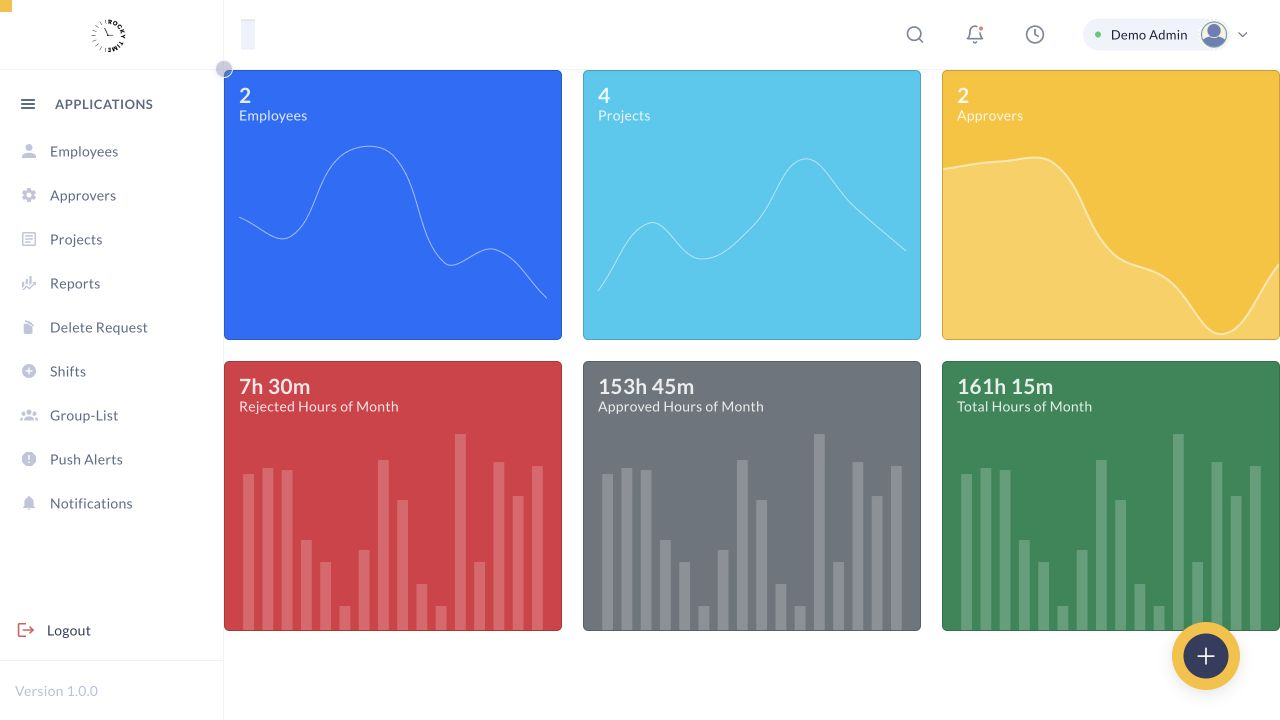
Rocky Time · Dashboard
Complete Rocky Time dashboard from the isolated synthetic demo tenant

Rocky Time Demo · synthetic people, projects and working-time data only

01PROJECTAssigned
02STATUSApproved
03REPORTReady
ROCKY TIME IN FOUR SCENES

From scattered time data.
To one clear rhythm.

Time tracking should not create more administration. It should connect planning, recording, approval and reporting so every next step is clear.

Scroll to experience the flow
01 / 04THE STARTING POINT

Excel here.
Messages there.
Questions everywhere.

When project hours, absences, corrections and approvals live in separate tools, time tracking becomes a daily search exercise.

EXCELCHATE-MAILPDF
?WHO RECORDED WHAT?
02 / 04ONE CONTINUOUS FLOW

Plan. Record.
Approve.

Projects, people, target hours and responsibilities are prepared once. The whole team then works in the same context.

  • Project structure and assignments
  • Roles and approval responsibility
  • Planned and actual hours together
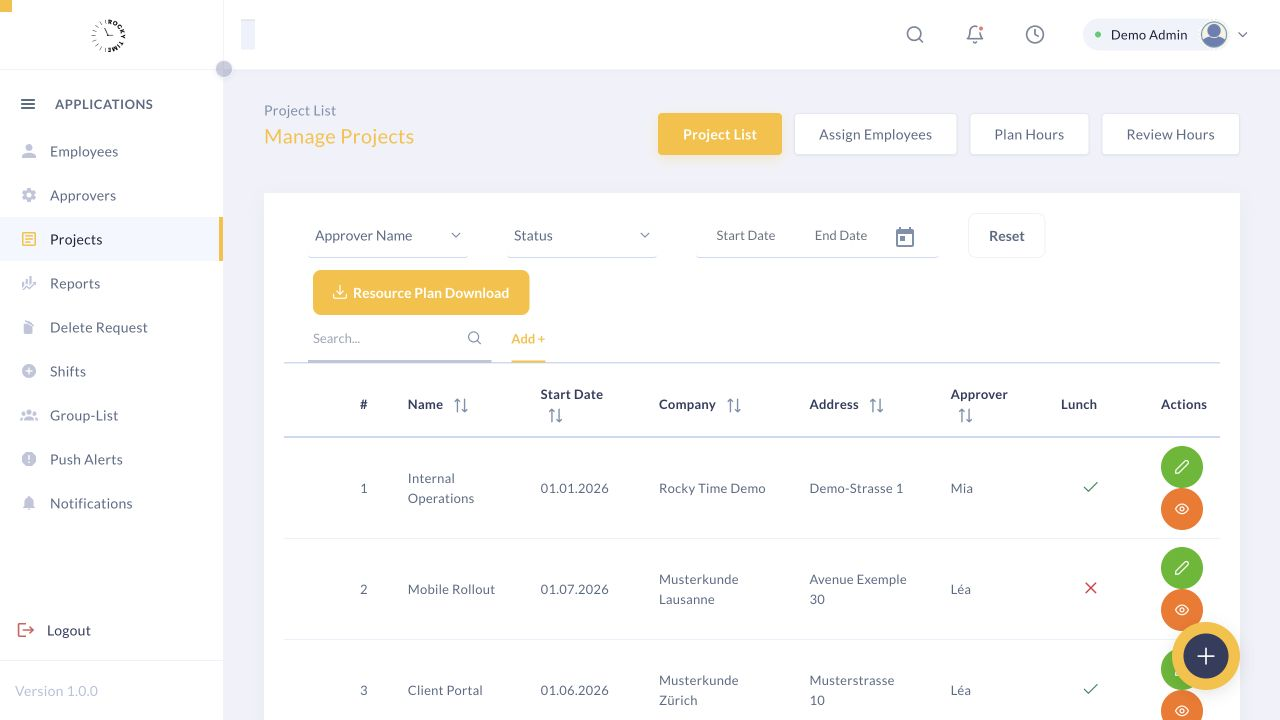
Rocky Time · Projects
Rocky Time project administration in the isolated synthetic demo tenant
Real product view · synthetic marketing data only
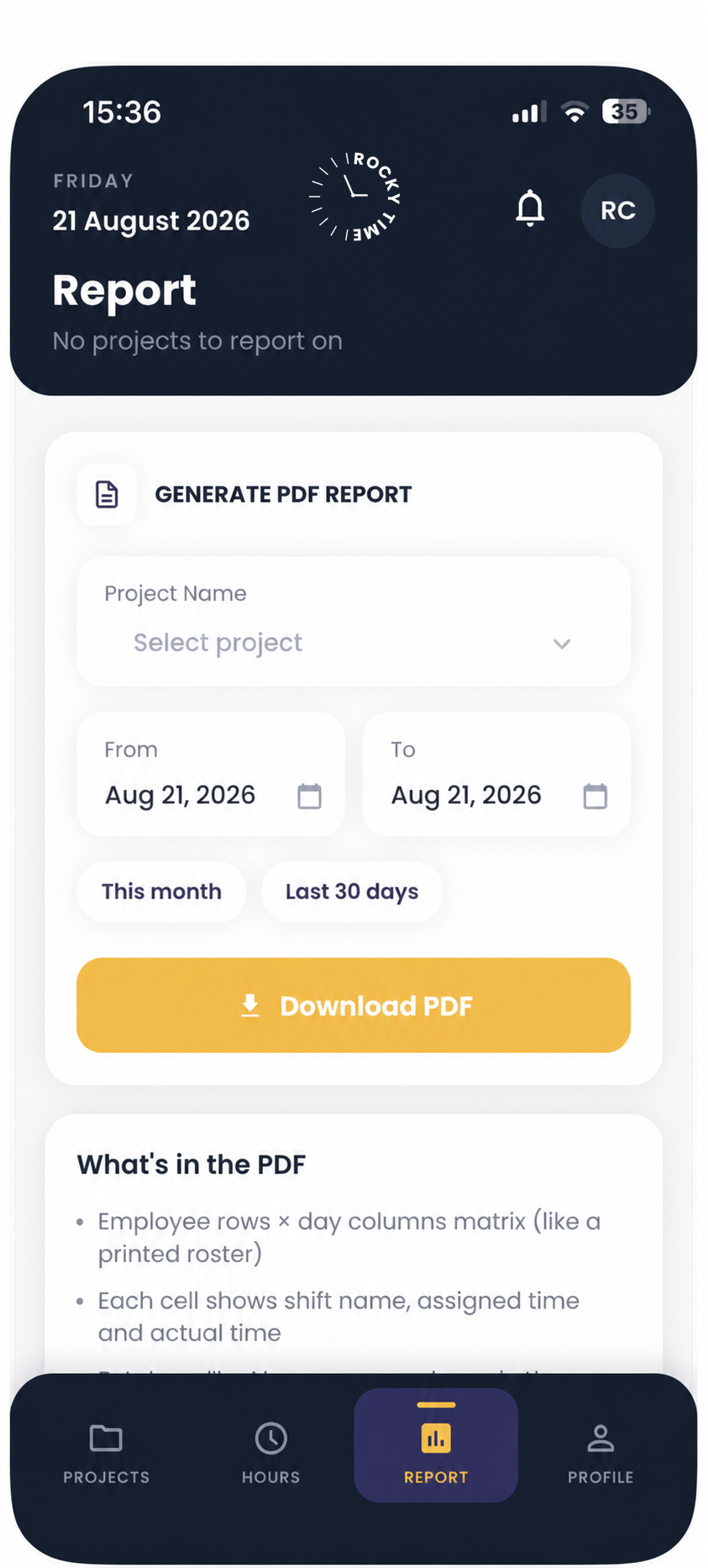
Rocky Time report configuration on iPhone with sanitised demo data
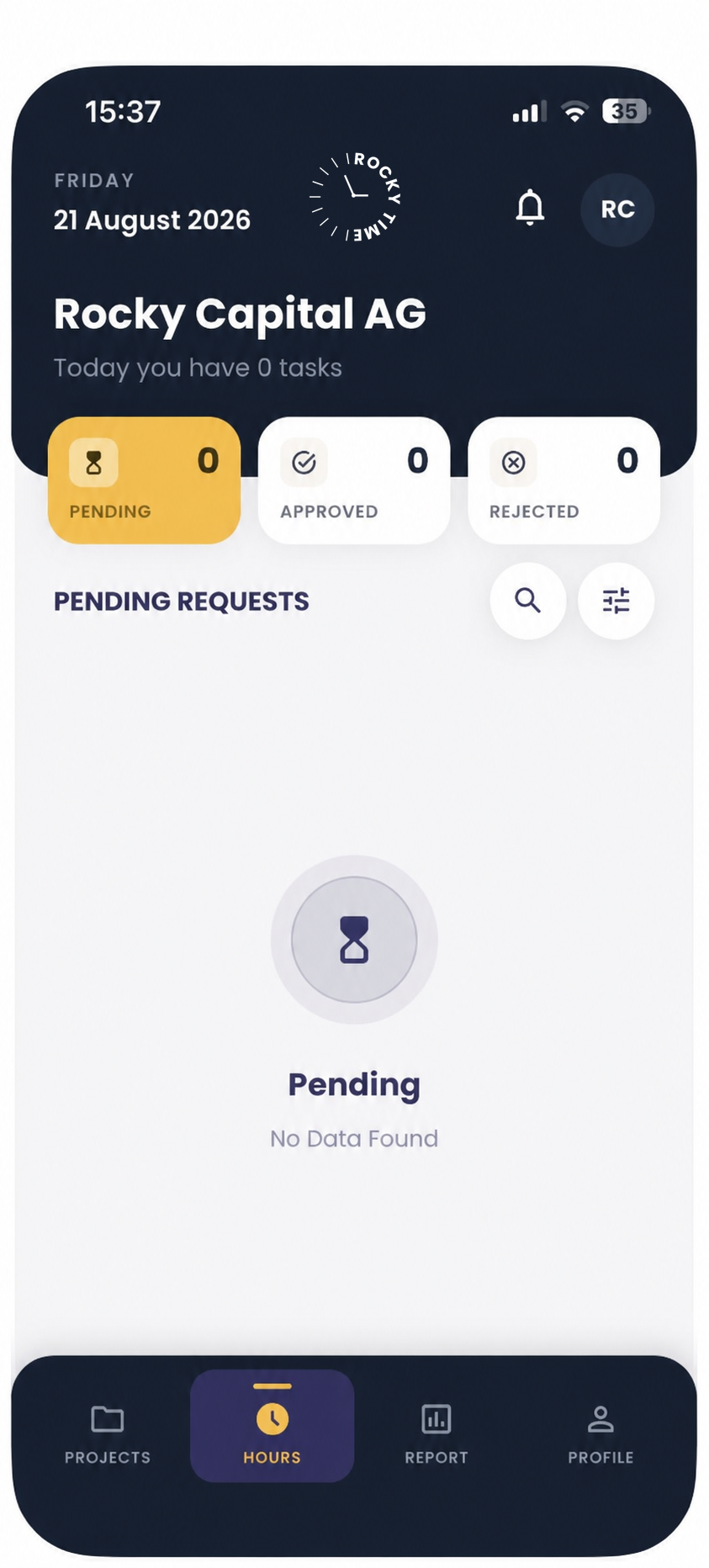
Rocky Time hour status on iPhone with sanitised demo data
03 / 04MOBILE APP

Recorded where
work happens.

Employees record working and project time on mobile. Status, approvals and reports remain in the same role-based workflow.

WEB + MOBILEIn productive use
04 / 04FROM STATUS TO DECISION

Not just hours.
Useful clarity.

Pending, approved or rejected: responsible users see status, filter the relevant records and prepare reports for downstream use.

Explore the product flow yourself
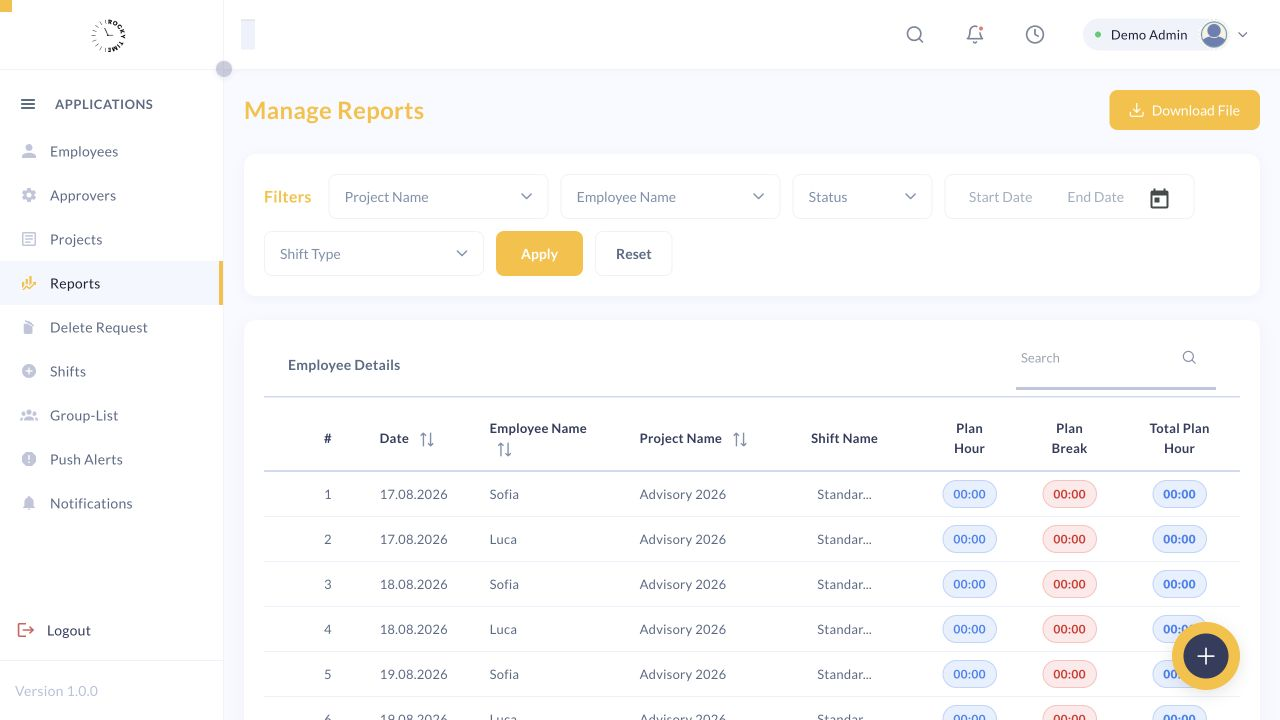
Rocky Time · Reports
Rocky Time reporting with synthetic working-time records
Filter, review and download
THE RESULT

One system.
One status.
One clear next step.

Rocky Time connects the complete administrative rhythm without making everyday work more complicated.

Configure pricing
INTERACTIVE PRODUCT FLOW

One workflow. Four clear stages.

Step through a complete Rocky Time workflow – from project planning to a report that is ready to use.

Stage 1 of 4: Plan

01 / 04 · Plan

Structure projects, people and planned hours.

Create projects, assign employees and establish a clear framework before the first hour is recorded.

  • Project structure and timelines
  • Employee and approver assignment
  • Weekly planned-hour organisation
Rocky Time project view with synthetic projects and project administration
Project administration in the isolated Rocky Time demo tenantRocky Time Demo · synthetic marketing data only
02 / 04 · Record

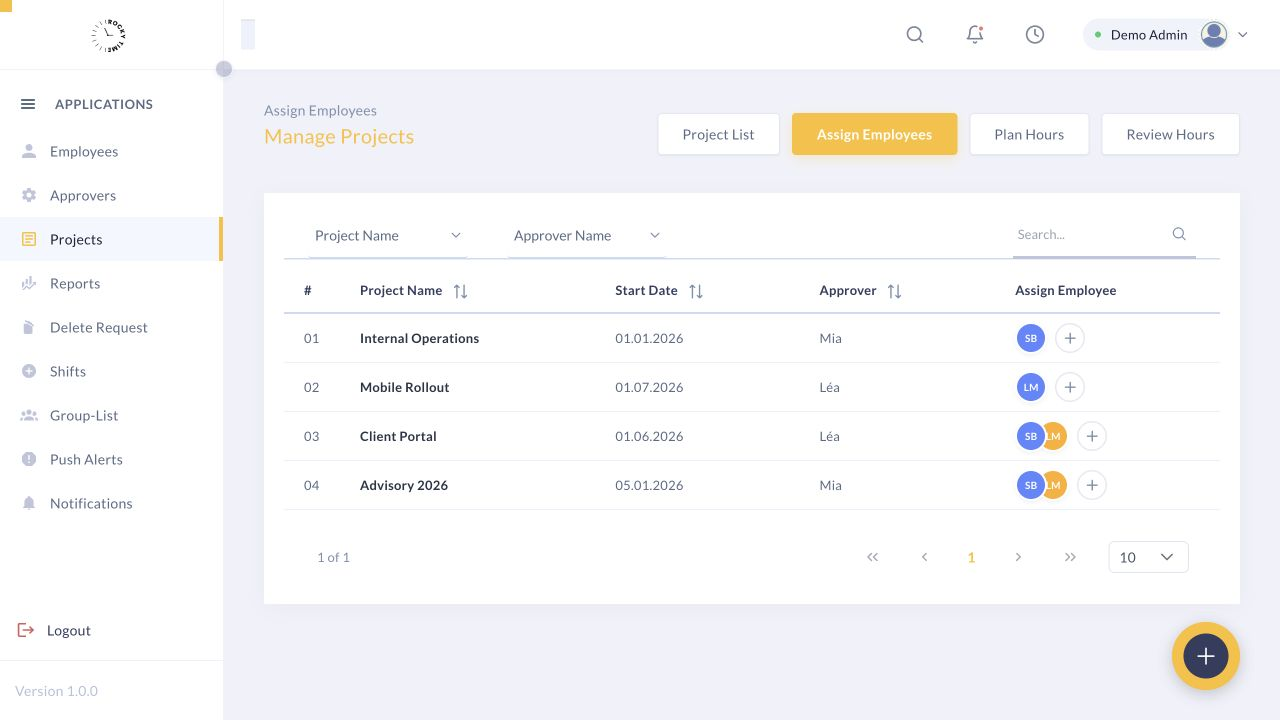
The right people on the right project.

Project assignments ensure employees record time in the right context, on the web and on mobile.

  • Unambiguous project assignment
  • Visible roles and responsibilities
  • Working and project time in one flow
Rocky Time view for assigning synthetic employees to projects
Employee assignment in the isolated Rocky Time demo tenantRocky Time Demo · synthetic marketing data only
03 / 04 · Approve

Pending, approved and rejected hours at a glance.

Managers and approvers see status, totals and differences centrally, making each next step easy to follow.

  • Clear approval status
  • Planned and actual hours together
  • Overview for administration and management
Rocky Time dashboard with synthetic employee, project and hour-status metrics
Dashboard in the isolated Rocky Time demo tenantRocky Time Demo · synthetic marketing data only
04 / 04 · Report

Turn time records into usable reports.

Filter recorded hours by the dimensions that matter, review the result and prepare the data for downstream use.

  • Filter by period, project and person
  • Include approval status
  • Review and download reports
Rocky Time report view with synthetic working-time records and filters
Reporting in the isolated Rocky Time demo tenantRocky Time Demo · synthetic marketing data only
THE DETAILS

Everything the
workflow needs.

Rocky Time is in productive use on web and mobile. Pro adds API, SSO, multiple companies, white label and priority support.

Explore all features
  1. 01Employees
  2. 02Projects & assignment
  3. 03Planned versus actual
  4. 04Two-stage status
  5. 05Reports & download
  6. 06Shifts & groups
  7. 07Activity log
  8. 08Roles & multiple companies
PRICE CONFIGURATOR

Standard from CHF 25. Pro from CHF 45.

You pay for people whose time is recorded—not for admin, management or approval-only access. Choose monthly flexibility or annual billing for the price of ten months, excluding applicable VAT.

STEP 1 OF 4

How many people record time?

A billable active person is each uniquely assigned person who records working time or absences, or for whom such records are entered or imported.

Fair role billing

Administrator, manager and approver accounts without their own time records are free. A person with several roles counts once; deactivated and archive-only accounts are free. The minimum charge includes five active people.

STEP 2 OF 4

Which plan fits?

Both plans include web and mobile, work and project time, roles, approvals, shifts, reports, maintenance and support.

Choose a plan

Use of available Pro capabilities is included. Setup, migration, custom branding and specific integration work are quoted separately.

STEP 3 OF 4

Monthly or annual?

Choose billing
Seat changes

Additional active users are billed pro rata from activation. With monthly billing, reductions apply from the next period; with annual billing, from the next renewal.

STEP 4 OF 4

How would you like to start?

Onboarding (one-time)
Additional requirements

Onboarding services are included only in the selected package. Free onboarding applies only when expressly shown as a discount in an individual offer. Payroll, ERP and other third-party integrations are never included in the subscription; Pro includes API access, not the integration work.

MARKET COMPARISON

Monthly equivalent for 15 active users

Rocky Time Standard is deliberately positioned close to the lowest comparison offer – with a clearly defined Swiss B2B price and production-ready web and mobile scope.

Public list prices reviewed on 22 August 2026
Provider / planPer user / month15 active usersScope / context
Rocky TimeStandardROCKY TIMECHF 5.–CHF 75.–

Web & mobile, working and project time, shifts, approvals, reports and standard support.

Source
Rocky TimeProROCKY TIMECHF 9.–CHF 135.–

Standard plus API, SSO, multiple companies, a white-label option and priority support. Integration work and a contractual SLA are quoted separately.

Source
KLARATimeCHF 4.–CHF 60.–

Publicly listed KLARA Time price; project time and additional modules may require a different package.

Source
TroopZeiterfassungCHF 7.–CHF 105.–

Publicly listed per-user price; feature scope and contract model according to the provider.

Source
EasyHoursZeiterfassungCHF 7.50CHF 112.50

Publicly listed per-user price; feature scope and contract model according to the provider.

Source
codetoreportCHF 10.–CHF 150.–

Publicly listed per-user price; feature scope and contract model according to the provider.

Source
FAQ

Clear answers. No inflated promises.

Does every Swiss company have to record working time?+

No, not without exception. Employers covered by the Swiss Labour Act generally need to retain the working-time information required for enforcement. Certain businesses and people are excluded; simplified recording or a waiver can apply under defined conditions.

What normally needs to be documented?+

Standard records include daily and weekly working time, the timing or start and finish, compensatory and overtime hours, and relevant breaks and rest days.

Is digital time-tracking software mandatory?+

No. Swiss law does not generally prescribe a particular app. The required information needs to be available in a reliable and understandable form.

Is TimeApp SECO-certified?+

There is no general SECO certification that makes software automatically compliant for every organisation. TimeApp supports defined workflows; correct configuration and use remain the organisation’s responsibility.

Which TimeApp features have been reviewed?+

The review covered web administration for employees, projects, planning, planned-versus-actual review, approval status, shifts, reports/downloads, groups, notifications and activity logs.

Is there a mobile app?+

Yes. Rocky Time is in productive use on the web and mobile. Employees record time in the project context, with role-based status, approvals and reports.

NEXT STEP

Map your time-tracking setup in 20 minutes.

We will cover team size, today’s process, projects, approvals and rollout. You will leave knowing whether TimeApp fits and what must still be confirmed before ordering.

Planned response standardA personal response within one business day.
What would you like to start?

No newsletter. No advertising data sharing. We store the request and follow-up only for this purpose; lost or spam-closed leads are deleted after 12 months. Optional analytics consent is separate.